
How the PSL Rating Works
Your PSL rating is computed in four stages. A face model in your browser maps 478 landmarks, the tool measures 16 proportions, each is scored against a published ideal band, and a weighted index is mapped to the 0–8 PSL scale. An optional AI rating adds a vision model's read of the photo.
Last updated:
How to understand how PSL rating works, step by step
- 1
Check the photo
The face model confirms exactly one face, then checks size, head turn, tilt, lighting, blur and expression. Serious problems stop the scan with a fix; minor ones become accuracy notes.
- 2
Map 478 landmarks
MediaPipe Face Landmarker, running in your browser, places 478 points on the face. The model and its runtime are served from this site.
- 3
Measure 16 proportions
After removing head roll, the tool measures symmetry, thirds, eye-area ratios, jaw and midface proportions in pixels.
- 4
Score against the bands
Each measurement is compared with its ideal band, scored from 0 to 100, weighted into five dimensions and mapped to the 0–8 scale.
- 5
Optionally blend in the AI rating
If you choose the AI rating, a vision model also reads the photo and the result is blended: 65 percent AI, 35 percent geometry.
The 16 measurements and their ideal bands
Every measurement is a ratio or angle, so it does not depend on image size. A value at the centre of the ideal band scores 100 and one at its edge about 91; outside the band the score falls smoothly (a Gaussian curve) with distance from it, so two faces that are both inside a band still differ by how close they sit to its centre. Bands that differ by sex are shown as male / female.
| Dimension | Measurement | Ideal band |
|---|---|---|
| Symmetry | Left–right balance (feature offset from the midline) | 0% is best; 2% scores about 78 |
| Symmetry | Feature levelness (height difference of paired points) | 0% is best; 2% scores about 78 |
| Proportions | Mid ÷ lower third | 0.78 – 1.00 |
| Proportions | Upper lip : chin | 0.30 – 0.45 |
| Proportions | Face width in eye-widths | 4.4 – 5.2 |
| Proportions | Facial width-to-height | 1.85–2.25 / 1.75–2.05 |
| Eye area | Eye spacing (intercanthal ÷ eye width) | 0.95 – 1.12 |
| Eye area | Canthal tilt | +3° to +8° / +4° to +9° |
| Eye area | Eye openness (height ÷ width) | 0.28 – 0.42 |
| Eye area | Interpupillary ÷ face width | 0.42 – 0.50 |
| Jaw & chin | Jaw ÷ cheekbone width | 0.80–0.95 / 0.72–0.87 |
| Jaw & chin | Jaw angle | 112–128° / 120–136° |
| Jaw & chin | Chin ÷ mouth width | 0.85 – 1.20 |
| Midface harmony | Nose ÷ intercanthal width | 0.88 – 1.12 |
| Midface harmony | Mouth ÷ nose width | 1.35 – 1.65 |
| Midface harmony | Lower ÷ upper lip | 1.0 – 1.8 |
From measurements to a 0–8 score
The five dimension scores are weighted: eye area 25%, symmetry 22%, proportions 22%, jaw and chin 17% and midface harmony 14%. The result is an index from 0 to 100. The geometry estimate maps an index of 38 to 1.5 and an index of 96 to 7 along a slightly curved line, and shows the result to two decimals, for example 5.84. It is capped at 7 because proportions alone cannot support the extremes.
With the AI rating, the vision model returns its own 0–8 score and five dimension scores. The final score is 65 percent AI and 35 percent geometry, and each dimension is blended the same way, so the AI cannot ignore the measurements and the measurements cannot override an obvious photo problem.
What the photo check looks for
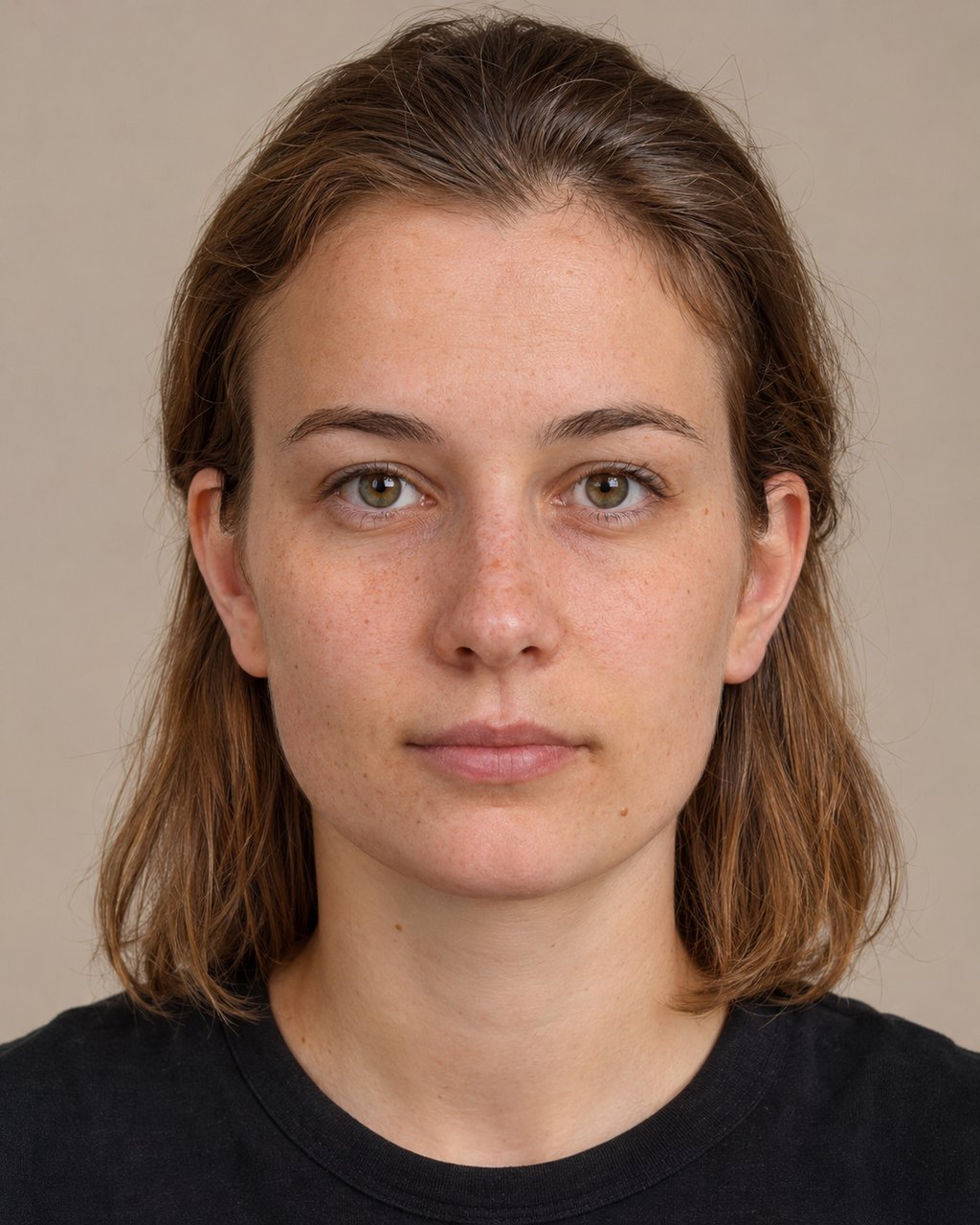 6.44
Straight on
Face the lens, ears equal on both sides.
Photo check: passed
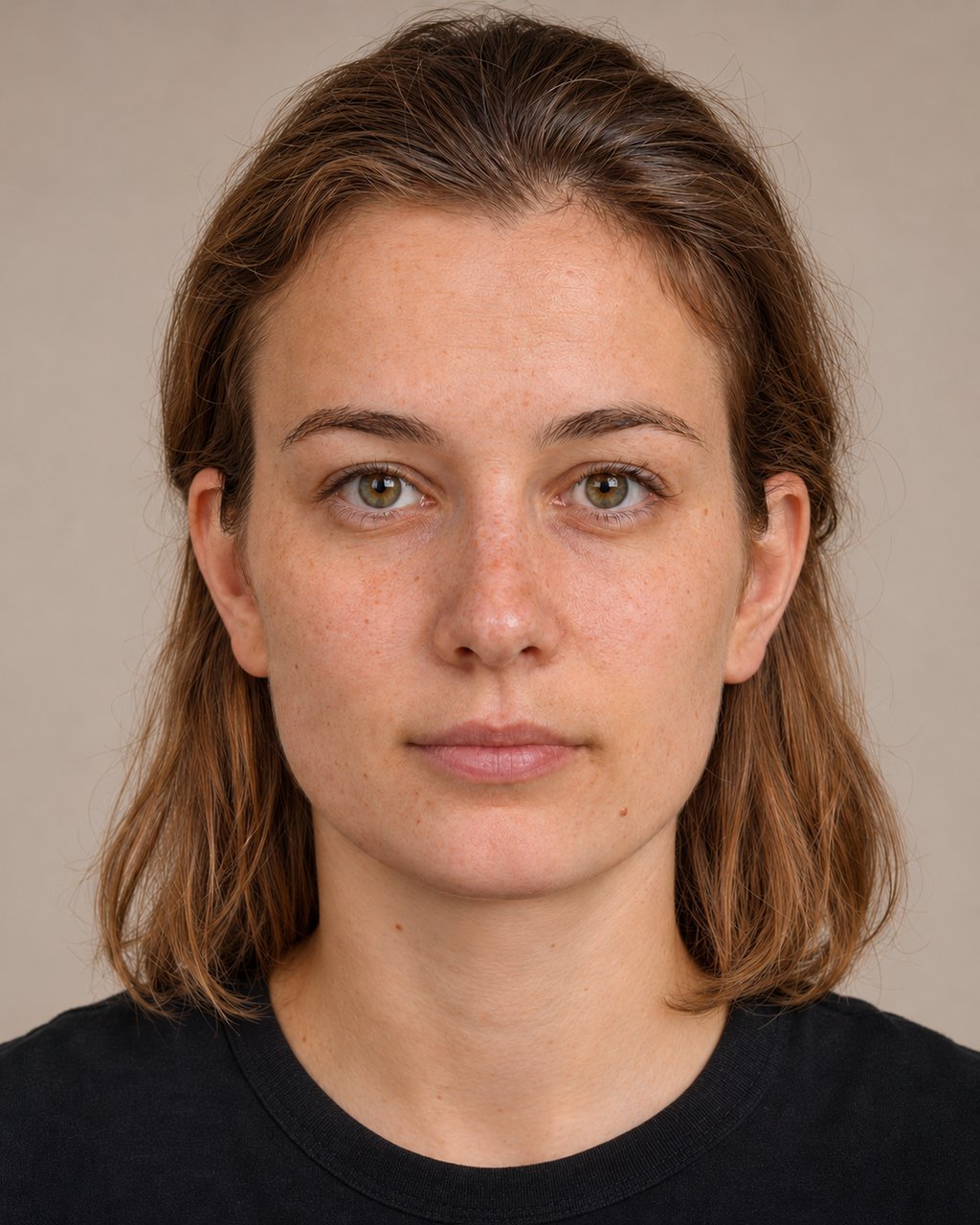 6.52+0.08
Soft front light
A window in front of you, no harsh shadows.
Photo check: passed
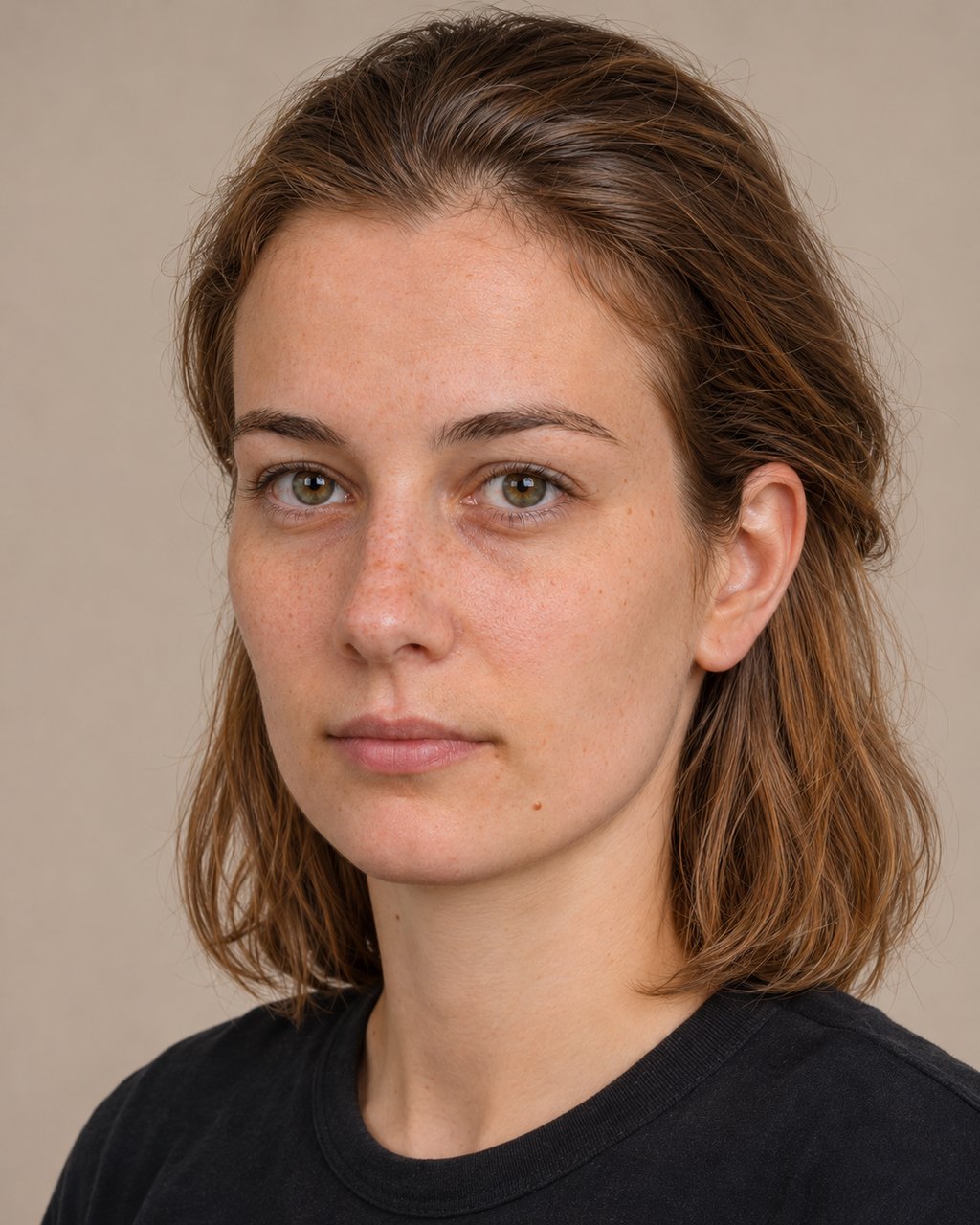 5.04-1.40
Head turned
A turn of this size changes symmetry and thirds.
Photo check: blocked. Your head is turned about 22°.
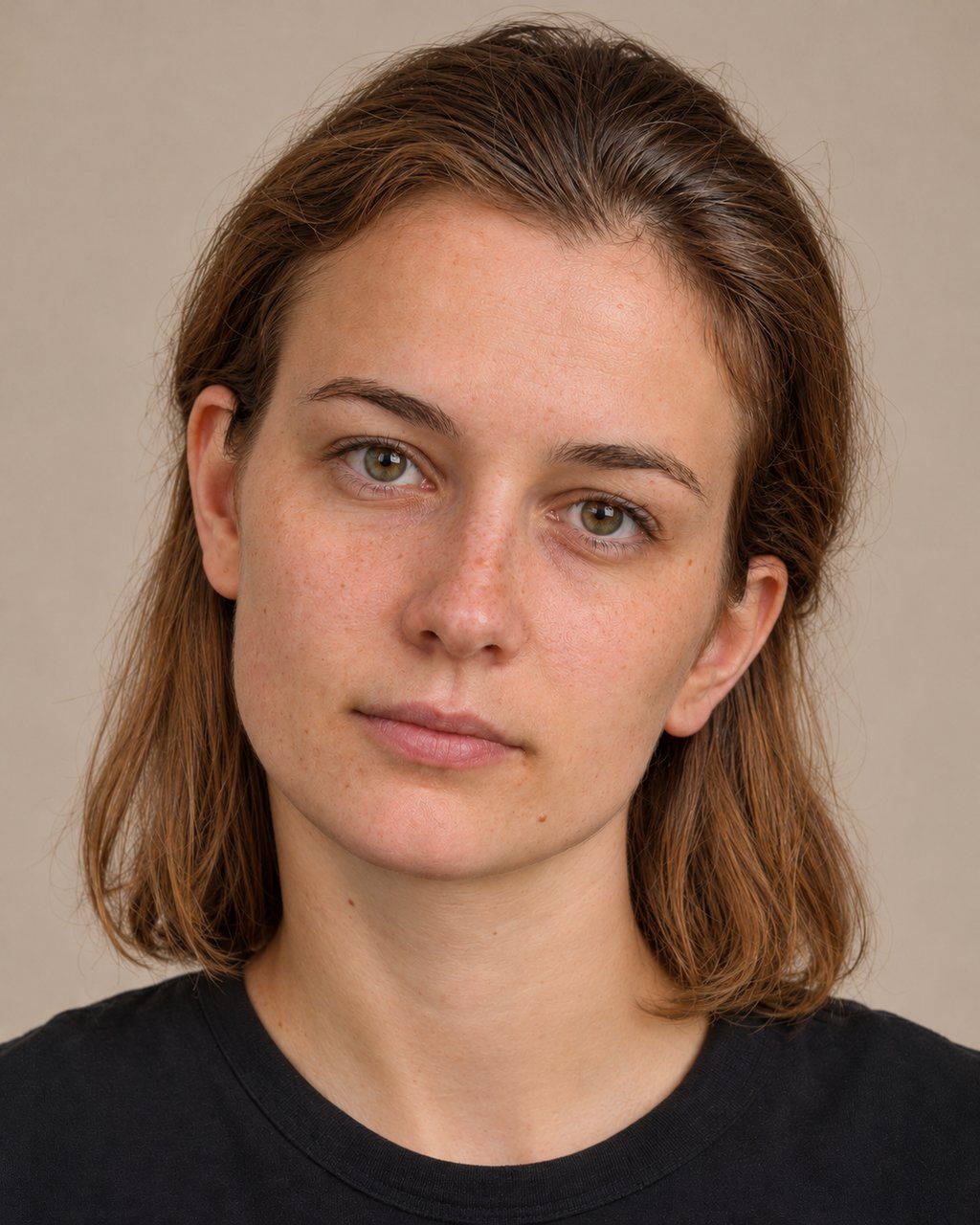 ~6.51+0.07
Head tilted
Tilt is corrected, but keep your head level.
Photo check: passed
 5.70-0.74
Smiling
Changes lips, jaw and the eye corners.
Photo check: A strong expression changes your proportions.
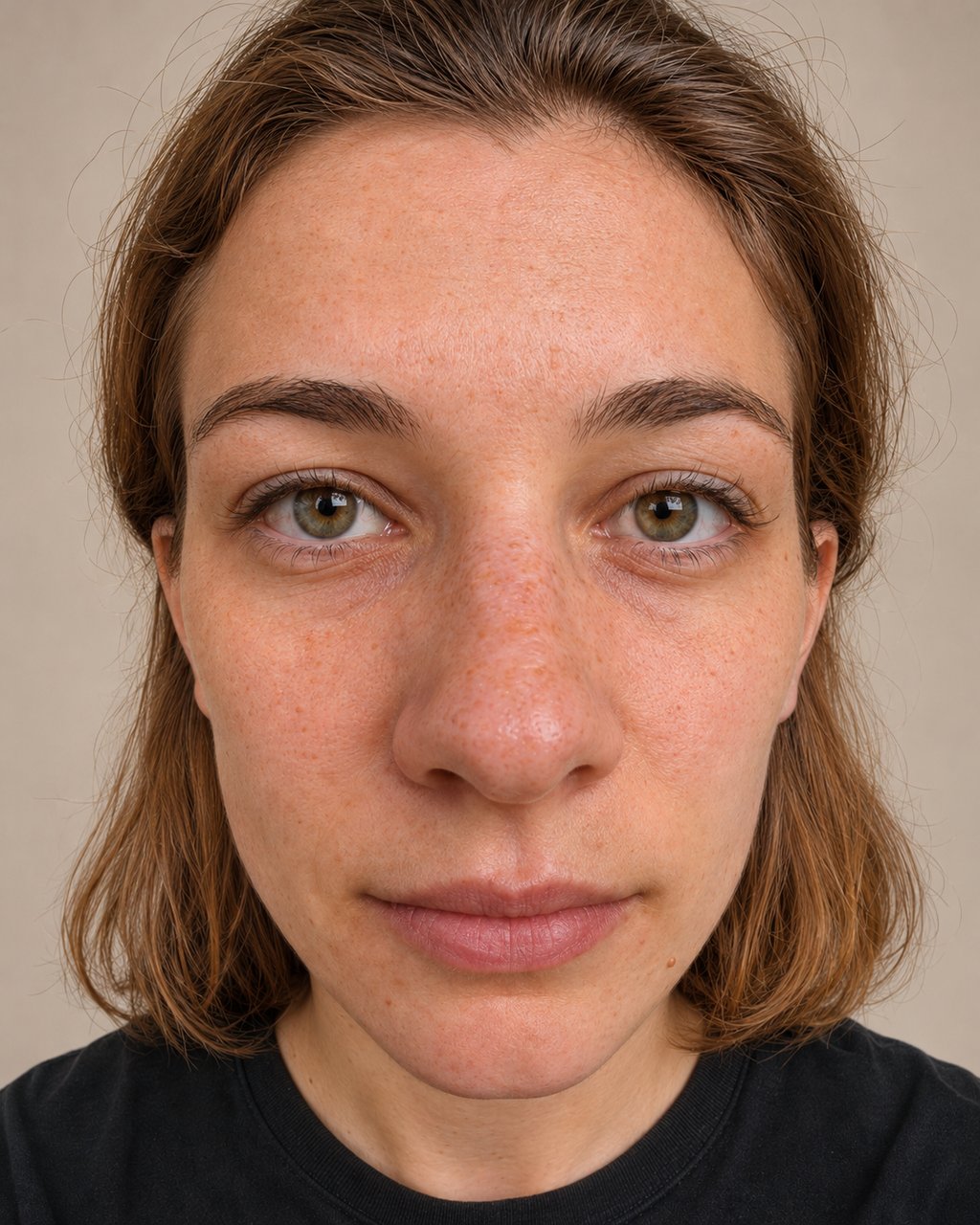 4.41-2.03
Too close
A close lens stretches the nose and forehead.
Photo check: The camera is angled down at you.
Same AI-generated person in every photo. The numbers are this tool's real geometry estimate on each one.
- Exactly one face, filling at least about 18 percent of the frame width.
- Head turned less than about 14 degrees (blocked above 22) and camera angle within about 14 degrees.
- Reasonable brightness, no heavy blur, eyes open and a neutral mouth.
Photos that fail these tests are explained rather than scored, because a wrong angle produces a confidently wrong number. You can read how your photo is handled in the privacy section of the PSL rating page, and what the scores mean in PSL score meaning.
Limitations we want you to know about
The ideal bands come from commonly cited facial-proportion ranges in anthropometry and from community practice, and we have not validated them against a population dataset. The scale itself is a convention. A single photo cannot see bone depth, so jaw and midface depth are inferred from the 2D layout of the landmarks. Treat every number as an estimate with a margin of error and read the measurements, not just the total.
Frequently asked questions
Ready to see where you land?
The on-device score is free, needs no account, and never uploads your photo.
Run the PSL rating