
FREE TEST · ONE PHOTO · ON-DEVICE
PSL Scale Test: Take the Free Test Online
The PSL scale test measures your face on the 0 to 8 PSL scale from a single photo. It takes under a minute, runs on your device, and checks your photo first so a bad angle cannot skew the result. Below is how to take the test properly and what each part of the result means.
Last updated:
01 · Read the scale as
Changes the ideal bands and tier names only.
02 · Add a front-facing photo
- Look at the lens, neutral face, mouth closed
- Soft, even light. No flash, no filters
- Hair off the forehead, camera at eye level
Mapped inside your browser: the free score never uploads your photo. New accounts get 10 free credits for one AI rating.
How to take the PSL scale test
The test itself is automatic. What decides whether your result is accurate is the photo, so most of the work is setting up the shot. Follow these five steps.
- 1
Set up the shot
Stand about an arm and a half from a window, with the light in front of you and the phone at eye level.
- 2
Relax your face
Look straight at the lens, keep your mouth closed, let your expression go neutral and keep your head level.
- 3
Take two or three photos
Take a few frames a few seconds apart. Small differences between them are normal and tell you how stable your result is.
- 4
Run each photo through the test
Upload them one at a time. The test checks every photo first and tells you if the angle, light or expression is a problem.
- 5
Read the middle result
If the scores differ, trust the middle one or the overlap, not the highest or the lowest.
Set up the shot: camera height
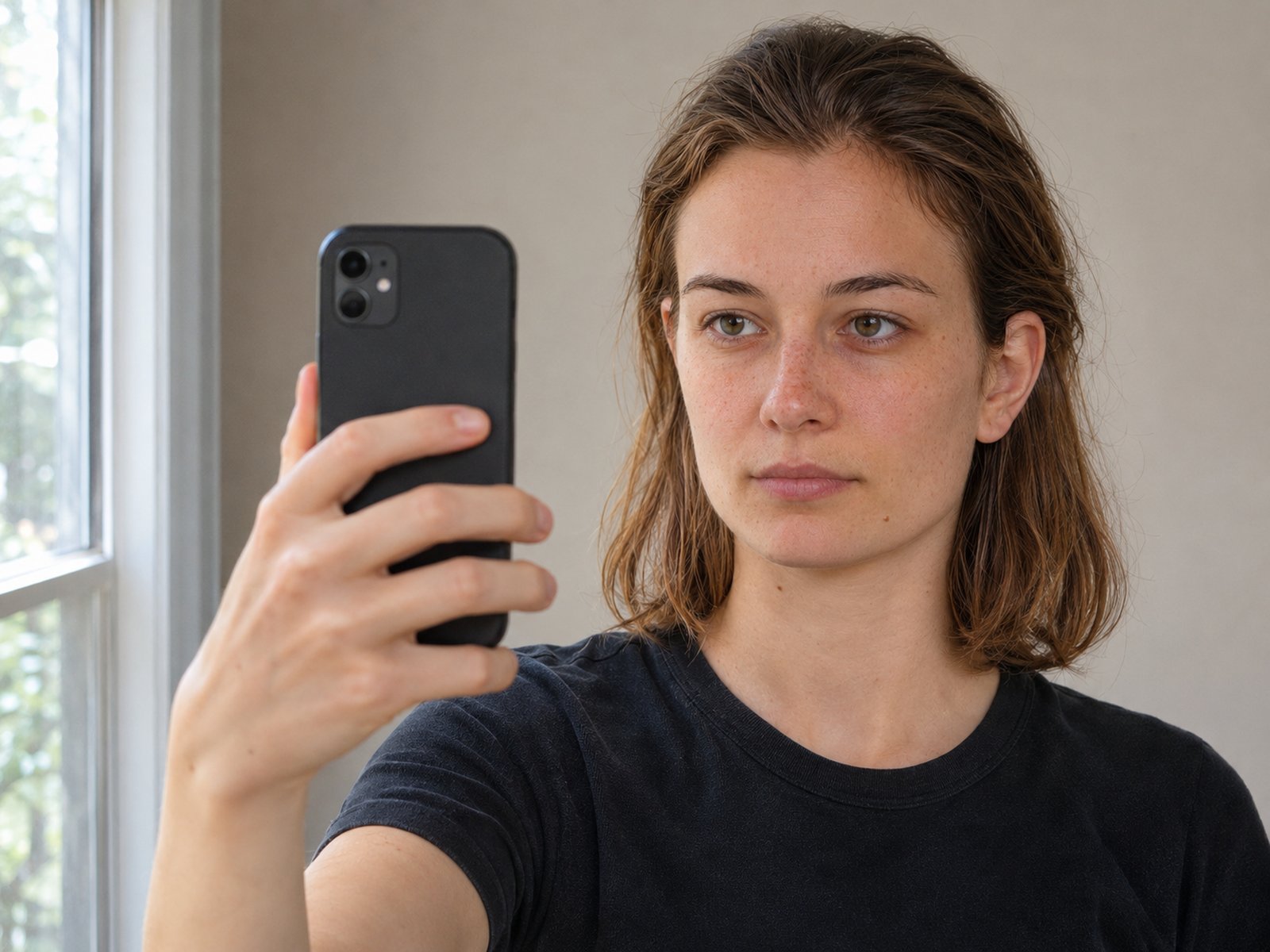
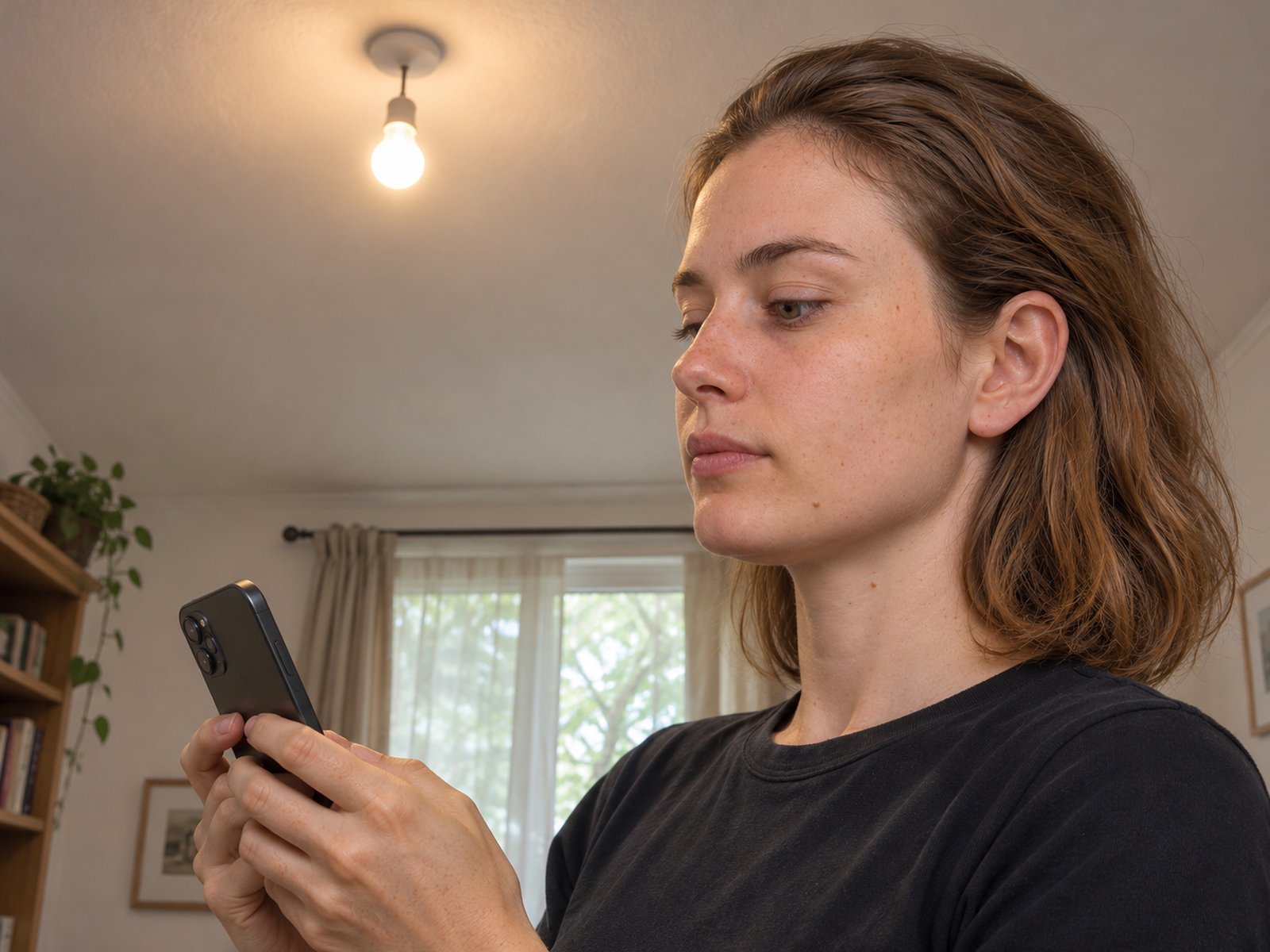
The single biggest mistake is the camera angle. A phone held low and pointed up makes the jaw look heavier, the nose longer and the lower third larger. A phone at eye level keeps the proportions where they really are.
 AI-generated person
Phone at eye level
The camera sits at the height of your eyes, an arm and a half away.
 AI-generated person
Phone held low
A low, upward angle distorts the nose, jaw and lower third.
Set up the shot: light
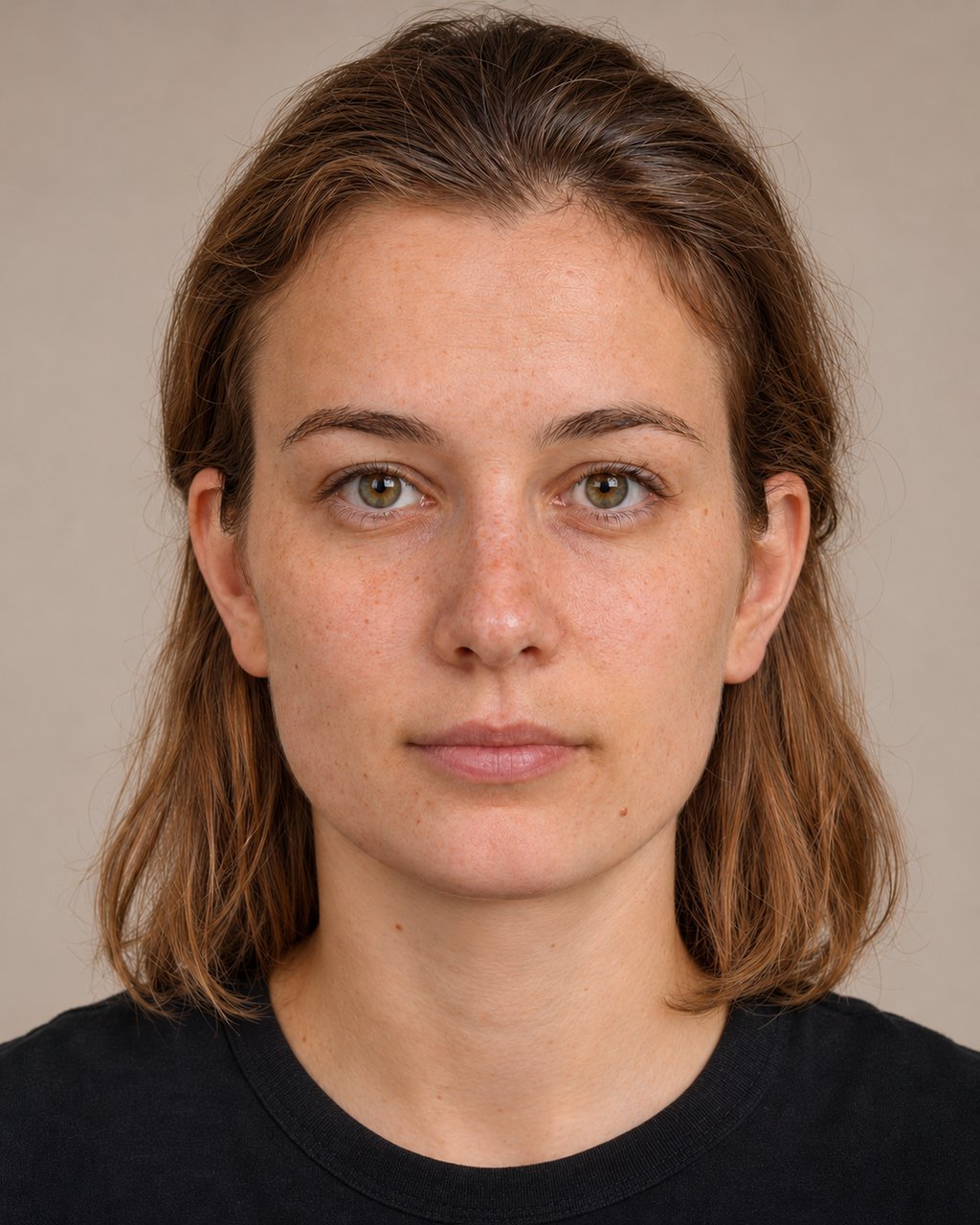
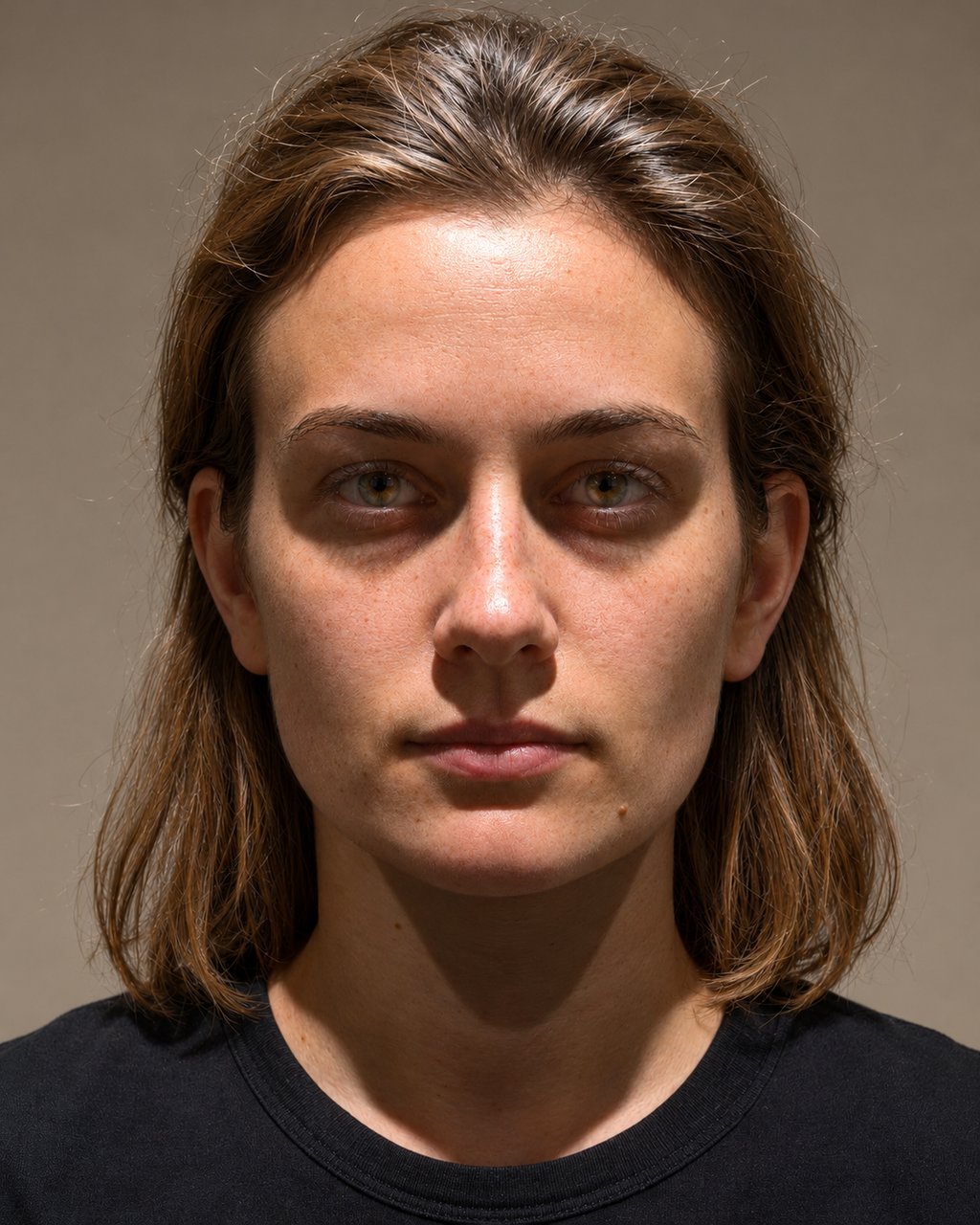
Light matters, but in a different way from camera angle. The face model finds its landmarks reliably even in poor light, so the geometry score barely moves: on this AI-generated portrait it was 6.52 in soft light, 6.35 under harsh overhead light and 6.39 with a window behind her. What light does change is what the AI rating can see (it reads the photo, not just the landmarks) and whether the photo passes the check: the backlit one was flagged as too dark. Compare that with a close, low camera, which moved the same face from 6.44 to 4.41.
 6.52AI-generated person
Soft light from the front
Even light, no hard shadows under the brows or nose.
 6.35AI-generated person
Harsh light from above
Dark eye sockets and shadows under the nose and chin. The AI rating has less to read.
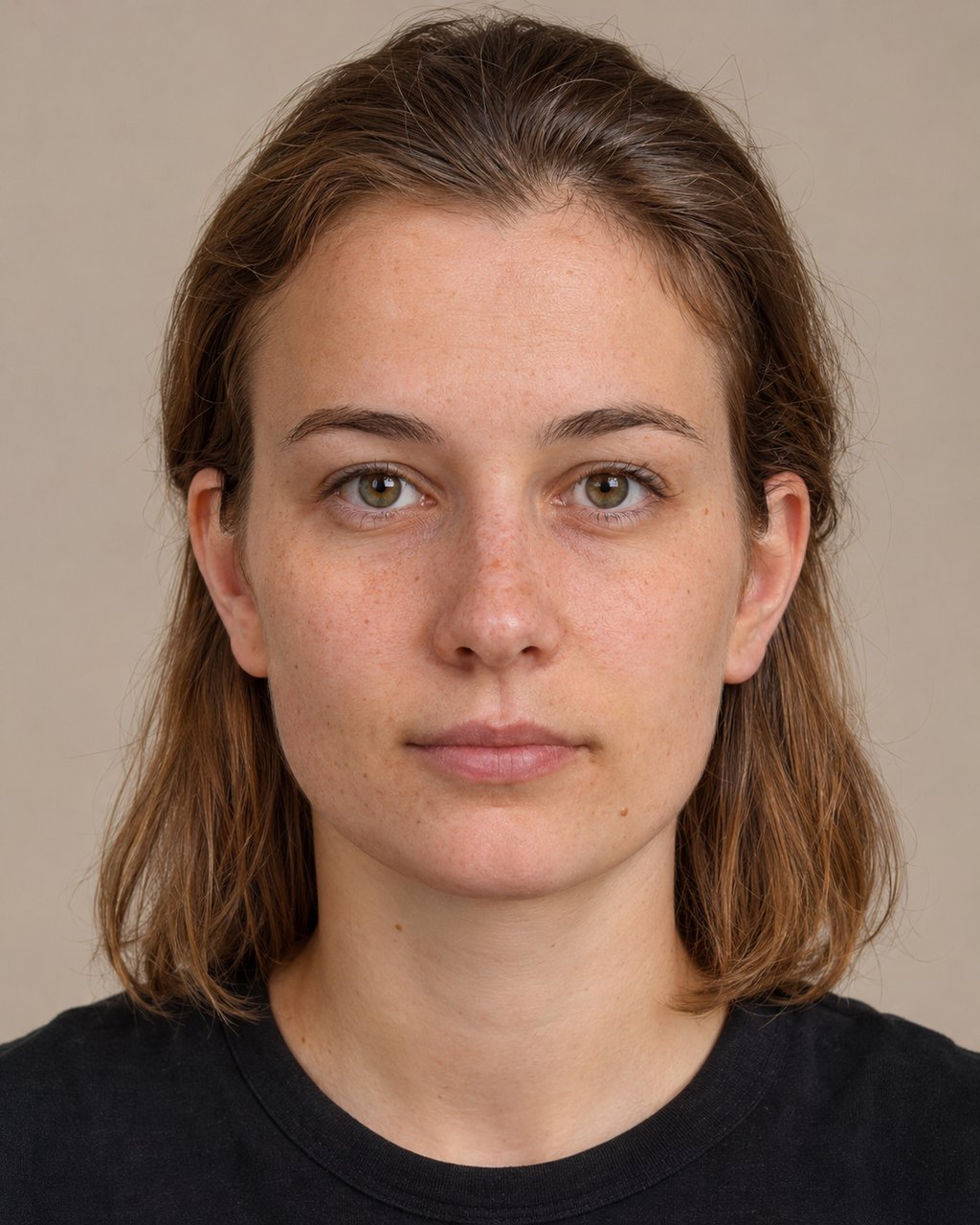 6.44AI-generated person
Face the light
The window is in front of you, behind the camera.
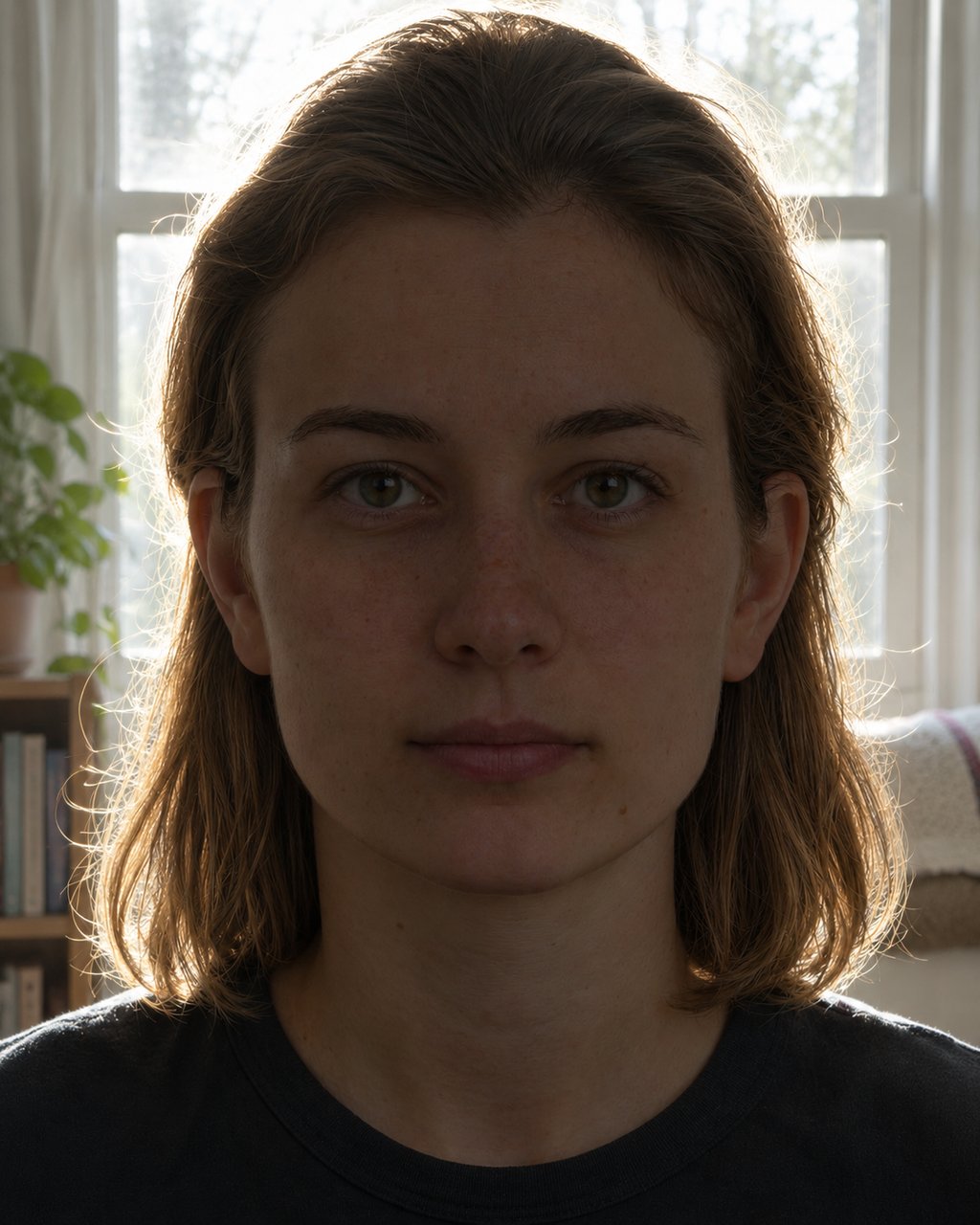 6.39AI-generated person
Window behind you
Photo check: The photo is quite dark.
What the PSL test checks before it scores
Before any number is shown, the test looks at the photo itself. Serious problems stop the test with a fix, and smaller ones become an accuracy note on your result.
| Check | Limit | What happens |
|---|---|---|
| One face in frame | Exactly one | Stops the test |
| Face size | At least about 18% of the frame width | Stops the test |
| Head turn | Warn above 14°, stop above 22° | Warns, then stops |
| Camera angle | Warn above 14°, stop above 24° | Warns, then stops |
| Head tilt | Corrected up to 18° (note above that) | Corrects, then notes |
| Light and focus | Not too dark, bright or blurry | Accuracy note |
| Expression | Eyes open, mouth closed | Accuracy note |
How to get a stable PSL test result
Take three photos, not one
A single photo has noise. Three photos of the same set-up show the spread: if all three land inside half a point of each other, that is your real range. If one is far off, it almost always has a visible problem such as a smile, a turned head or a shadow.
Change one thing at a time
If you want to see what a change does, such as a different light or distance, keep everything else identical. Otherwise you cannot tell which change moved the number. Use the same presentation setting each time, too, because it switches the ideal bands.
- Same distance, same height, same light, same expression.
- Wait a few seconds between frames so you do not hold a tense face.
- Ignore differences smaller than half a point.
Reading your PSL test result
Your result has four parts: the score from 0 to 8, your tier, five dimension scores, and a table of all 16 measurements with their ideal bands. Start with the dimensions. The lowest one tells you what is holding the score down, and often it is the photo rather than the face. The full meaning of each number is in PSL score meaning, the tiers are on the PSL chart, and the method is on how the rating works. You can also look at the numbers directly with the PSL score page.
Frequently asked questions
Ready to see where you land?
The on-device score is free, needs no account, and never uploads your photo.
Take the PSL test